
Run AI apps locally
Want to run open-source AI tools on your own machine without wrestling with Python, dependencies, and the command line? Pinokio installs and launches AI apps with one click and handles the setup for you. It's for tinkerers who want to try image generators, local language models, and other tools privately, without sending data to a cloud service.

quiettypist.com
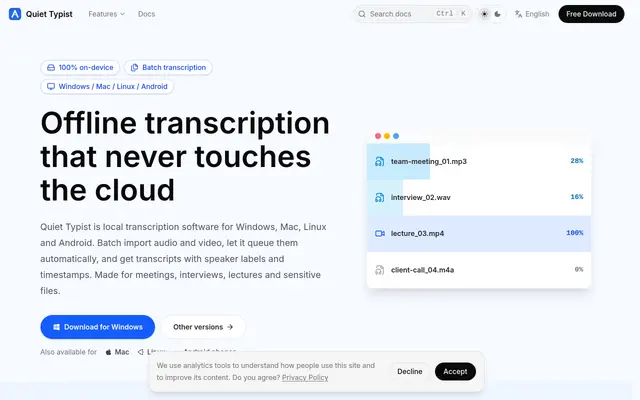
Quiet Typist offers 100% on-device transcription, meaning your audio, video, and transcripts never leave your computer or touch the cloud. It's designed for privacy-conscious users handling sensitive files. It supports batch transcription, allowing you to import multiple audio and video files at once and automatically queue them for processing. Transcripts include speaker labels and timestamps for easy review and organization. It also offers an MCP integration to plug on-device transcription into existing workflows.

bestllmfor.com
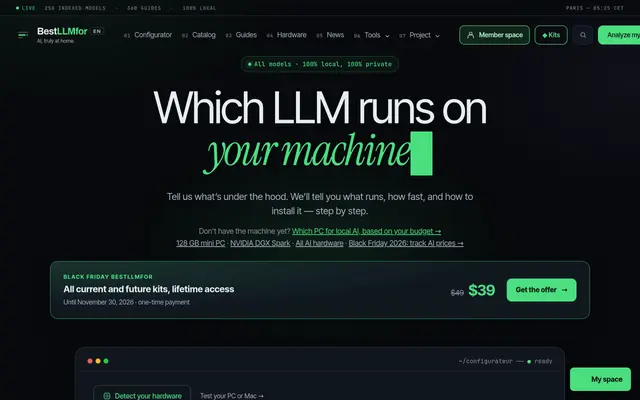
BestLLMfor helps you determine which large language models can run locally on your PC or Mac. Just tell it what hardware you have, and it will suggest compatible LLMs, estimate their speed, and provide installation instructions. The site features a catalog of over 250 indexed models and more than 360 guides for tools like Ollama and LM Studio. It also offers paid kits with comprehensive guides and configurations for specific use cases like local code assistants or private ChatGPT alternatives.
pinokio.computer
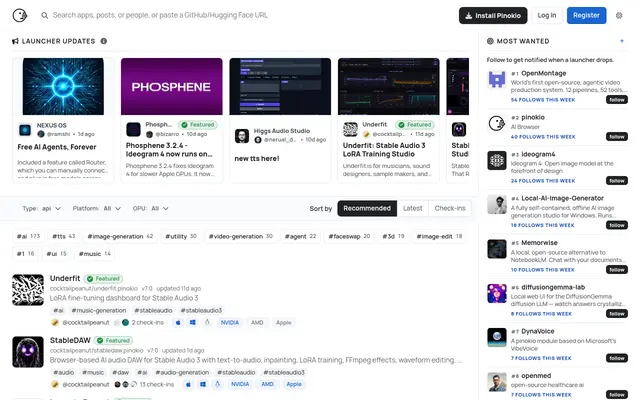
Pinokio is a browser-like app that installs and runs AI tools locally with a single click. It handles environments and dependencies for you, so you can try image generators, local language models, and more without touching a terminal. Everything runs on your own machine.
Launch your
powerful website
Reach thousands of users across YouTube, Instagram and our newsletter.
- Live within 24 hours
- Custom launch video
Frequently asked questions
Is it free?
Yes. Pinokio is free, and the AI apps it installs are usually open source and free too. Your real cost is disk space and the hardware to run heavier models.
Do I need to know how to code?
No. The point is to skip the terminal and dependency setup. You browse a library of apps and click install, and it handles the environment behind the scenes.
Will it run on my computer?
It depends on the app. Light tools run on most machines, but image and video generators want a decent GPU and plenty of RAM. Check each app's requirements before installing.